Introduction to ISBNs in South Africa
If you’re a first-time author in South Africa, getting an ISBN can feel confusing — especially because most tutorials online are written for US and UK authors. When I applied for my ISBN through the National Library of South Africa (NLSA), I realised very quickly that the process here works differently.
To save you the stress, I’m breaking down exactly what I learned, step-by-step, so you can avoid the mistakes I made and get your ISBNs quickly and correctly.
What Is an ISBN (and Why You Need One in South Africa)
An ISBN (International Standard Book Number) is a 13-digit code used worldwide to identify your book.
In South Africa, you must apply for ISBNs through the NLSA—not Bowker or Amazon.
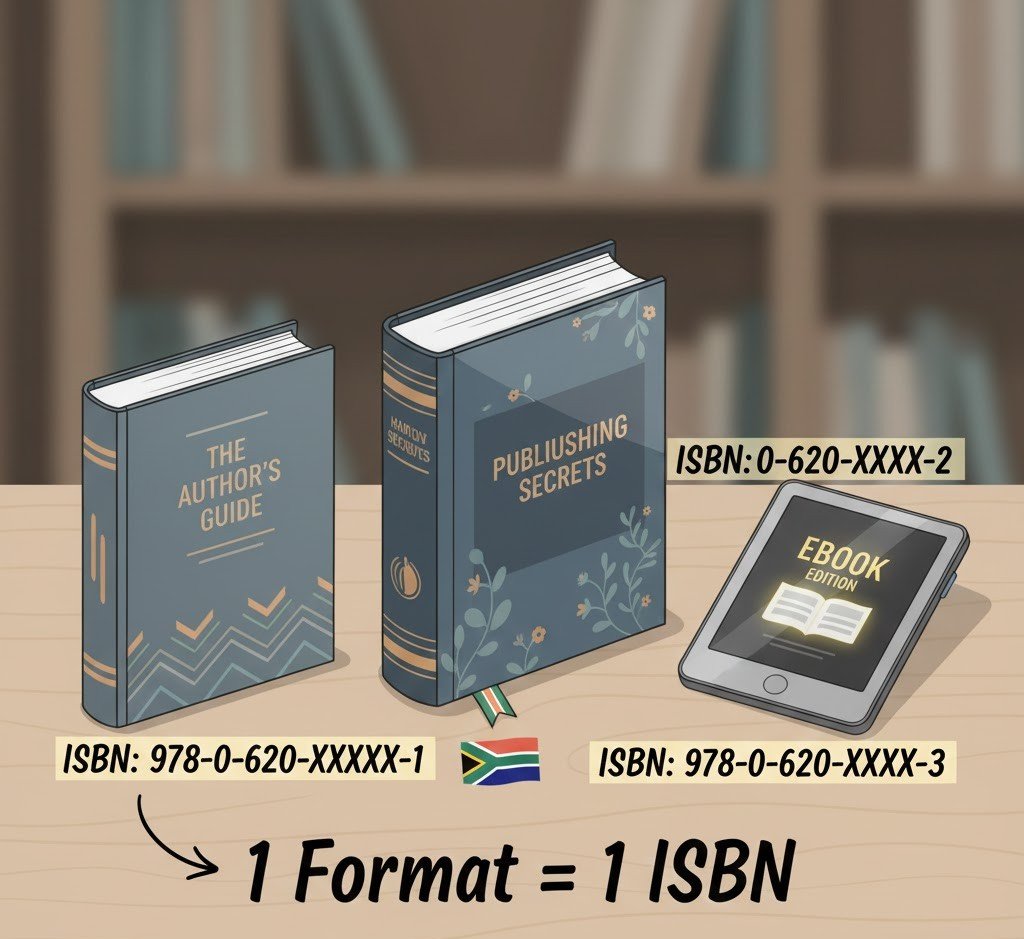
You need an ISBN for every distinct format of your book:
- Paperbacks
- Hardcovers
- Print-on-Demand editions
- eBooks (each format gets its own ISBN)
- Audiobooks
- Special Editions
How the ISBN Application Works at NLSA
When I applied, I thought they would give me three separate ISBNs for “paperback,” “hardcover,” and “eBook.” But the NLSA uses slightly different terminology.
Here’s what I received:
- Print ISBN: This number covers a single, specific physical format. Either paperback or hardcover.
- Electronic ISBN: This is for your digital edition (for your eBook edition)
This is completely normal and perfectly valid. However, you must be careful: If you want both a paperback AND a hardcover, you must apply for two separate Print ISBNs.
The NLSA website offers three format options when requesting an ISBN: Print, Electronic, Print & Electronic. Once they have sent you the initial email, you can respond and ask for a third ISBN if you want to publish a Paperback, Hardcover & Electronic variant of your book. If you only want a Paperback and Electronic version, then you can use the Print ISBN for your paperback.
You can apply directly on their website.
Can You Use the Print ISBN for Both Paperback and Hardcover?
NO. This is the biggest mistake I see first-time South African authors make.
The ISBN is a product identifier used by bookstores, distributors, and libraries worldwide. The hardcover and paperback are two separate products with different prices and weights, and they must have unique ISBNs.
- Rule: One ISBN per specific format.
- Paperback: Requires unique ISBN.
- Hardcover: Requires unique ISBN.
- E-book: Requires unique ISBN.
🇺🇸 Will Amazon KDP accept it? Yes, but you will still need separate numbers. Amazon KDP (or any other distributor) only checks that the ISBN you provide for the paperback is valid and not currently in use by another published book. If you try to use the same number for your hardcover version, their system will reject it, as the ISBN is already assigned to a different format.
What If You Made a Mistake With the Title?
I accidentally registered the ISBN under “The Darkest Exile” instead of my full title, “The Darkest Exile, Book One: Cursebound.”
Here’s what I learned:
- This is generally not a problem.
- ISBNs primarily identify the book, not the metadata behind it.
- You only need to update the SANB form or notify NLSA if the change is major.
A subtitle is not considered a major change.
Legal Deposit: How Many Copies Do You Have to Send?
This part shocked me.
Many South African authors (especially self-publishers) think you only need to send one physical copy to NLSA for legal deposit.
Nope.
South Africa has multiple legal deposit libraries. You may need to send more than one physical copy depending on format and distribution.
They will tell you exactly which libraries require copies.
Expect anywhere from 2–5 copies depending on the edition.
How to Create a Barcode for Your ISBN (Free)
NLSA does not generate barcode artwork. But you do need a barcode on your back cover for bookstores and printers.
Good news: you can generate it in seconds.
Search “free ISBN barcode generator” — any generating site works as long as it uses EAN-13 format.
I used one of the free online generators, pasted my Print ISBN, and received the barcode image instantly.
It costs nothing.
I used this website.
You then place it on:
- the back cover of the print book
- the inside copyright page if you want it duplicated (optional)
Do You Need to Pay for Anything?
No.
ISBNs in South Africa are 100% free.
Barcode generator tools are free.
Legal deposit is free (you only pay for printing the copies you send).
If someone asks you to pay for ISBNs, it’s a scam.
SANB Information Sheet — Where Does It Go?
The SANB (South African National Bibliography) form goes back to NLSA after your book is published.
You can send it:
- attached with your legal deposit copy, or
- emailed to the address they specify in your approval letter
Either method is accepted.
It does not go to Amazon, printers, or bookstores.
Step-by-Step Summary
How to get an ISBN in South Africa (2025):
- Apply on the NLSA website with your completed ISBN form.
- Receive your unique ISBN(s)
- Generate your barcode online for free (EAN-13).
- Add correct ISBN + barcode to your book cover for each format.
- Publish your book.
- Complete the SANB form.
- Send legal deposit copies to the libraries NLSA lists.
Final Thoughts
Getting an ISBN in South Africa is actually easy — once you know the system. As a first-time author, I felt confused at first, but the process is fast, free, and much simpler than it looks.
If you’re self-publishing a book as a South African, just remember:
- Every format (paperback, hardcover, e-book) needs a separate, unique ISBN.
- You get separate ISBNs for each distinct format.
- Legal deposit requires sending more than one copy
- Barcodes are free and quick to generate
- You do not need to pay anyone for ISBNs
Check out our other posts here: Articles / Blogs